
MobileMission3.1 - Google Play
You'll be able to see results in few seconds.
Publisher Description
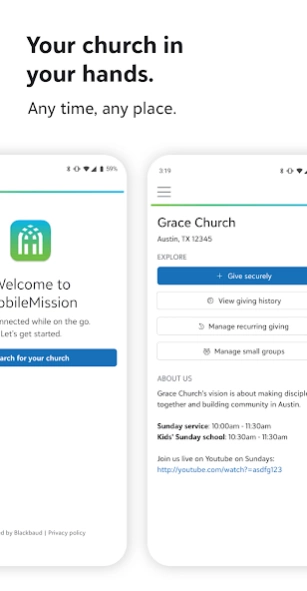
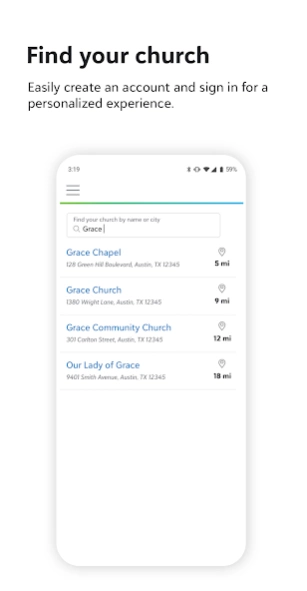
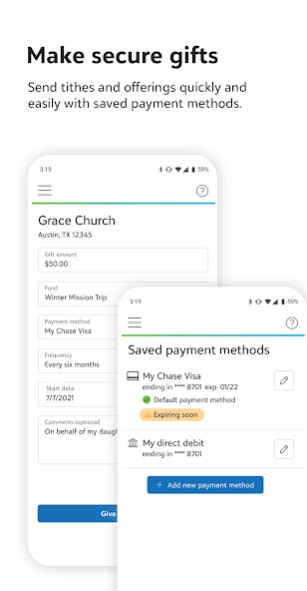
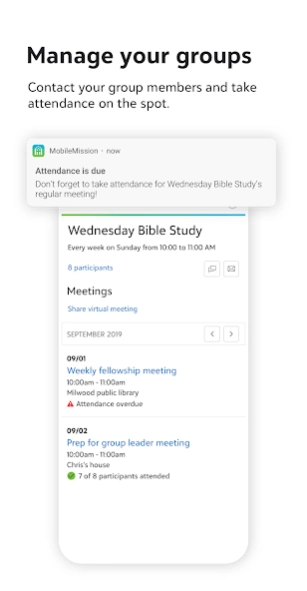
Faith-focused giving has never been easier with MobileMission™
Faith-focused giving has never been easier with MobileMission™, your church’s digital front door. Easily and securely send tithes and offerings to your church from your phone—anytime, anywhere.
Please note that your church must be a Blackbaud Church Management™ subscriber in order for you to use the Mobile Mission app.
About MobileMission
The company that develops MobileMission is Blackbaud Inc.. The latest version released by its developer is 3.1.
To install MobileMission on your Android device, just click the green Continue To App button above to start the installation process. The app is listed on our website since 2023-01-23 and was downloaded 0 times. We have already checked if the download link is safe, however for your own protection we recommend that you scan the downloaded app with your antivirus. Your antivirus may detect the MobileMission as malware as malware if the download link to com.blackbaud.mobilemission is broken.
How to install MobileMission on your Android device:
- Click on the Continue To App button on our website. This will redirect you to Google Play.
- Once the MobileMission is shown in the Google Play listing of your Android device, you can start its download and installation. Tap on the Install button located below the search bar and to the right of the app icon.
- A pop-up window with the permissions required by MobileMission will be shown. Click on Accept to continue the process.
- MobileMission will be downloaded onto your device, displaying a progress. Once the download completes, the installation will start and you'll get a notification after the installation is finished.
Program Details
System requirements
Download information
Pricing
Version History
version 3.1
posted on 2023-01-23
Bug Fixes and Performance Enhancements
version 2.5.5
posted on 2022-03-15
In MobileMission, small group leaders can now add or remove participants from their groups. Also, a small group's meeting and participant information now appears on separate tabs for easier viewing. User profile enhancements and bug fixes are also included.
version 2.5
posted on 2021-12-06
Relationship managers can now receive notifications when someone assigns an action to them in Blackbaud Church Management. To enable these notifications, go to Preferences and toggle on An action was assigned to me.
version 2.4
posted on 2021-09-27
Small group participants can now view meeting times and locations, and participant lists for their groups.
Users can select the address for a group meeting and choose which map app to use for directions.
version 2.3
posted on 2021-08-10
For easy and contactless child check-in, you can now use MobileMission to scan a QR code at a kiosk to check in children and print security labels.
You can also quickly make and respond to prayer requests while on the go. If enabled in Preferences, you receive notifications when someone adds a new prayer request or prays for yours.
version 2.2
posted on 2021-07-12
You can now turn attendance notifications on and off in Preferences.
version 2.1.1
posted on 2021-06-01
This release fixes an issue not allowing users to successfully launch the MobileMission application.
version 2.1
posted on 2021-05-26
Bug fixes and performance improvements.
version 2.0
posted on 2021-04-20
MobileMission has a clean new look! Also, if your name or contact information changes, you can now update your profile to keep your church’s records up-to-date.
version 1.8
posted on 2020-09-11
To streamline attendance taking for small groups, leaders can now select all participants at one time. If your church enabled a support contact, you can select the new help button to reach out for help from any area of the app.
Disclaimer
Official Google Play Link
We do not host MobileMission on our servers. We did not scan it for viruses, adware, spyware or other type of malware. This app is hosted by Google and passed their terms and conditions to be listed there. We recommend caution when installing it.
The Google Play link for MobileMission is provided to you by apps112.com without any warranties, representations or guarantees of any kind, so access it at your own risk.
If you have questions regarding this particular app contact the publisher directly. For questions about the functionalities of apps112.com contact us.
